
Retrofit - FANUC Robot arm
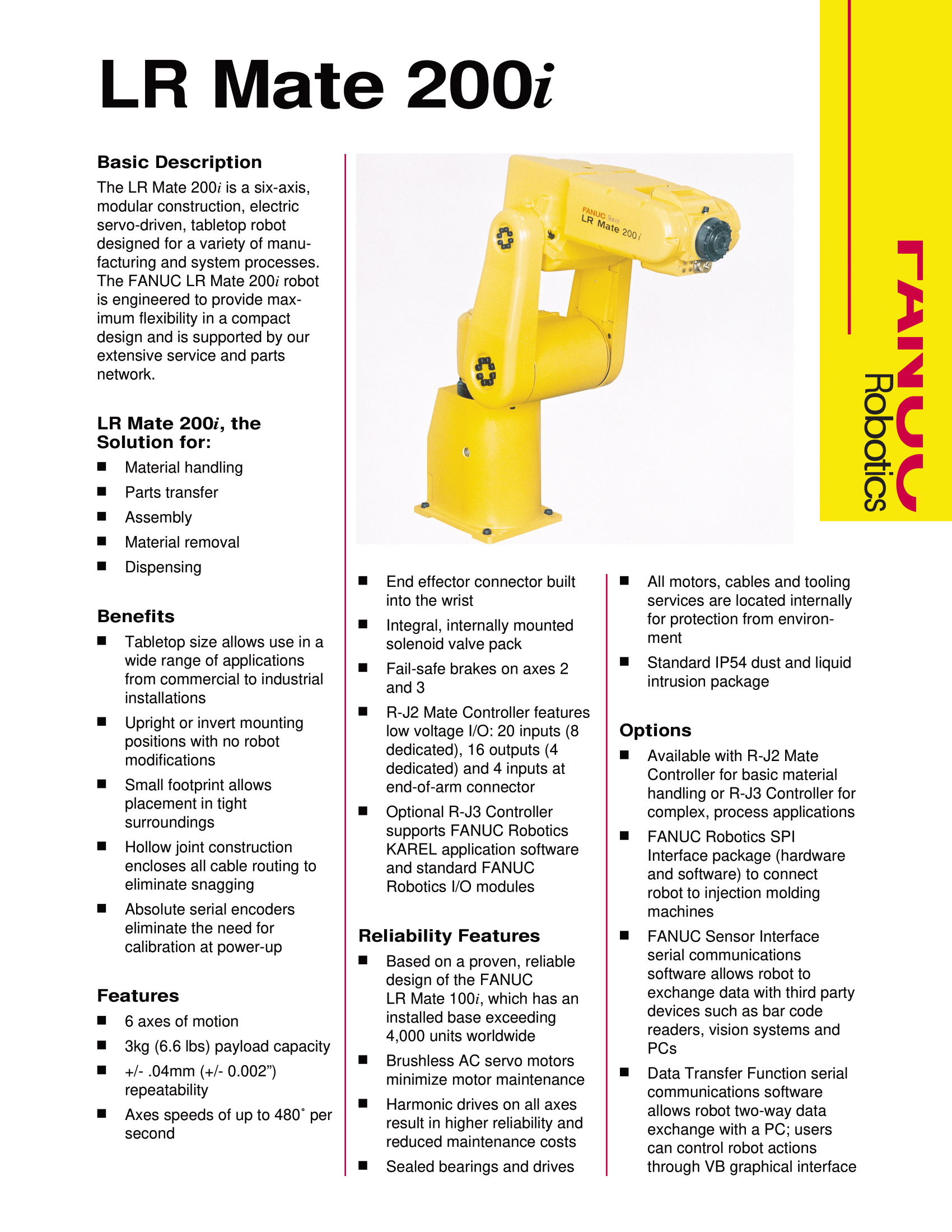
Previously mentioned in this blog post, my LR Mate 200 il Fanuc arm is now in the process of being retrofitted to be ran with modern electronics and controls, in parallel with a LiDAR and camera system.
I am motivated by the prospects of automation in industry, and also because robots are fun to play with. Most robots are too large to easily be moved and demo’d, or aren’t industrially relevant due to their size. The LR Mate is still “portable” by a single person in a regular car or cargo bike, and if I integrate the control electronics into the arm and its base, small enough even for the most space restricted setups. Utilizing LiDARs and modern cameras also enables real “seeing” robots as opposed to the classical “blind” robotics that has been the status quo for decades.
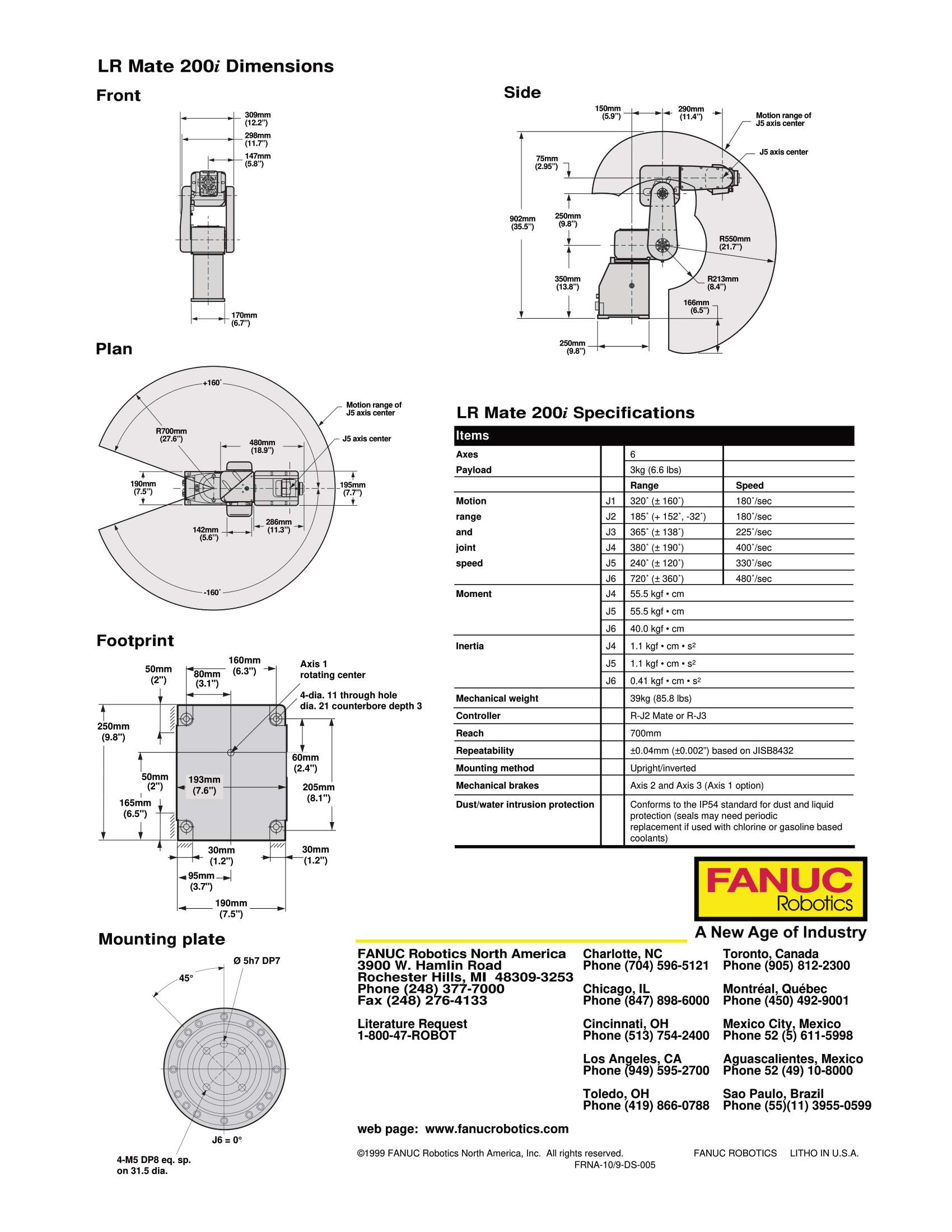
As a reminder, here is the datasheet:
After getting very familiar with open loop steppers, and building Arctos a plastic 3D printed stepper driven arm which I had mixed feelings about, I wanted to try servos with a closed loop and FOC.
Unfortunately, a lot of conversation about diy robotics has moved onto unsearchable “dark” web (discord channels mainly) meaning it can be difficult to get an overview of existing projects that may be of interest, or exploring hardware availability. I hope to collate bellow a collection of robot arm projects, servo motor controllers, and provide basic guidance on the software options to control a multi axis arm.
Motor controller
I selected the ODrive S1 to prototype the arm, and to keep things simple I’m experimenting with their “upgraded” 16384 CPR AMT212B shaft encoder instead of going the cheaper magnetic route. I was happy to see separate mosfets, and a braking resistor, as I did not know if my motors would be thermally limited. I remember when the project used to be open source, but if it works with less hassle than the failed previous times I wanted to control a three phase motor I’ll be happy.
I compared the ODrive with some alternatives like:
- MJBots Moteus C1/R4/N1/X1 - probably the closest to what I wanted
- SimpleFOC - not “commercialized” and but these were more difficult to stack axes, less robust, lower voltage
- VESC but out of budget and overkill
- Tinymovr M5.2 - but limited to 38v
- MIT Mini Cheetah - eaten by others in this list, and I don’t know if I trust aliexpress sellers
- Source robotics spectral - lower voltage
- Some Makerbase aliexpress drivers, but I wanted to help fund further development since my use case is a bit outside of the usual drone motors
There are also some open source projects on hackaday/github, but where the driver felt like the project:
And some interesting similar projects for integrated modules:
Comprehensive projects
There is also the excellent ExcessiveOverkill :
I believe this is most likely the best route for future endeavours
ODrive
Once the decision was made, I waited a few months to build some budget and emailed ODrive asking for confirmation if it would likely work.
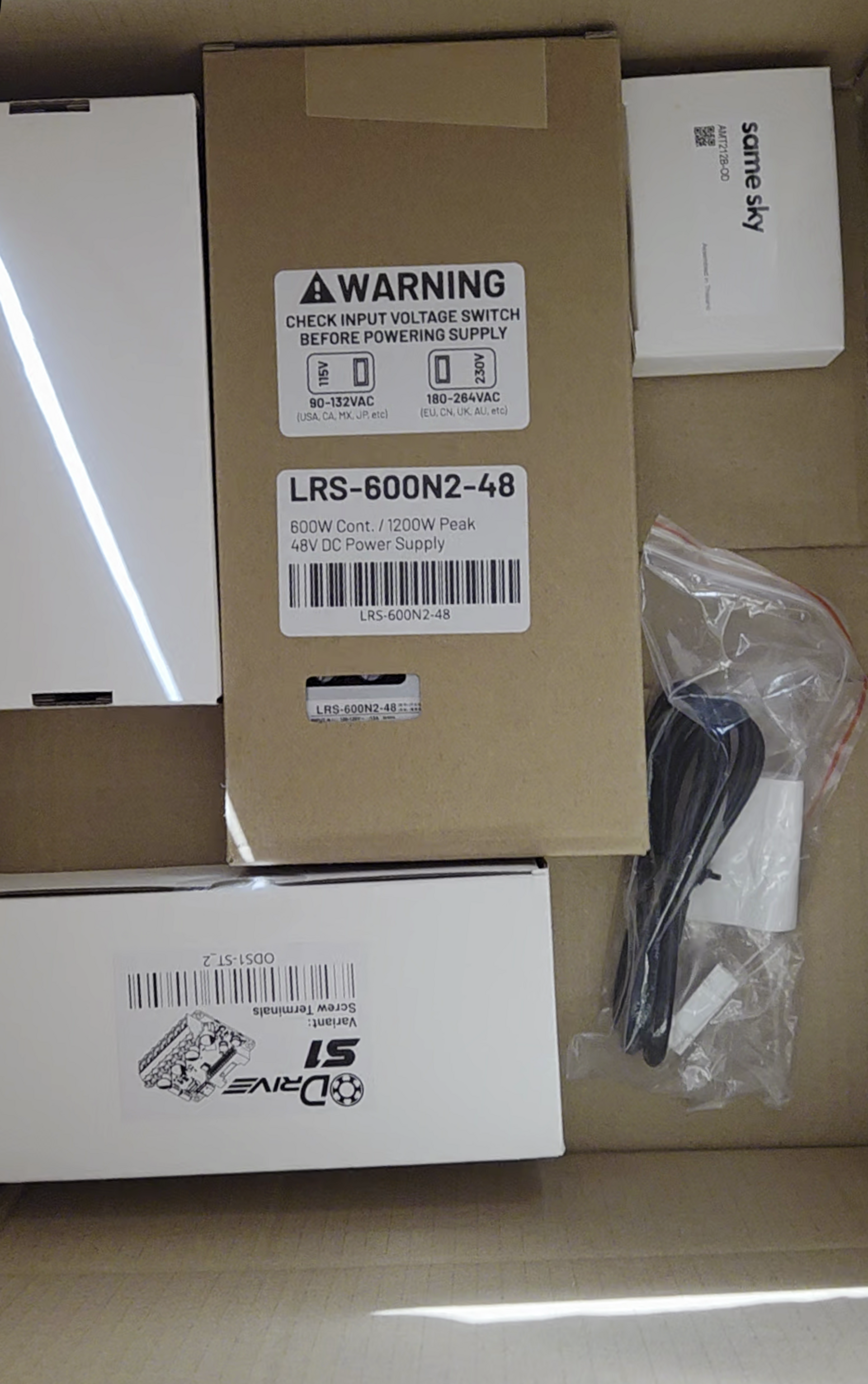
Disclaimer: When I reached out to ODrive, I asked if they would be interested in offering a discount code in exchange for the publicity of this post/linkedin/tutorials, which they accepted. No money exchanged hands and I still paid multiple hundreds of euros for all the parts. My opinions here and elsewhere were not reviewed by ODrive before posting.
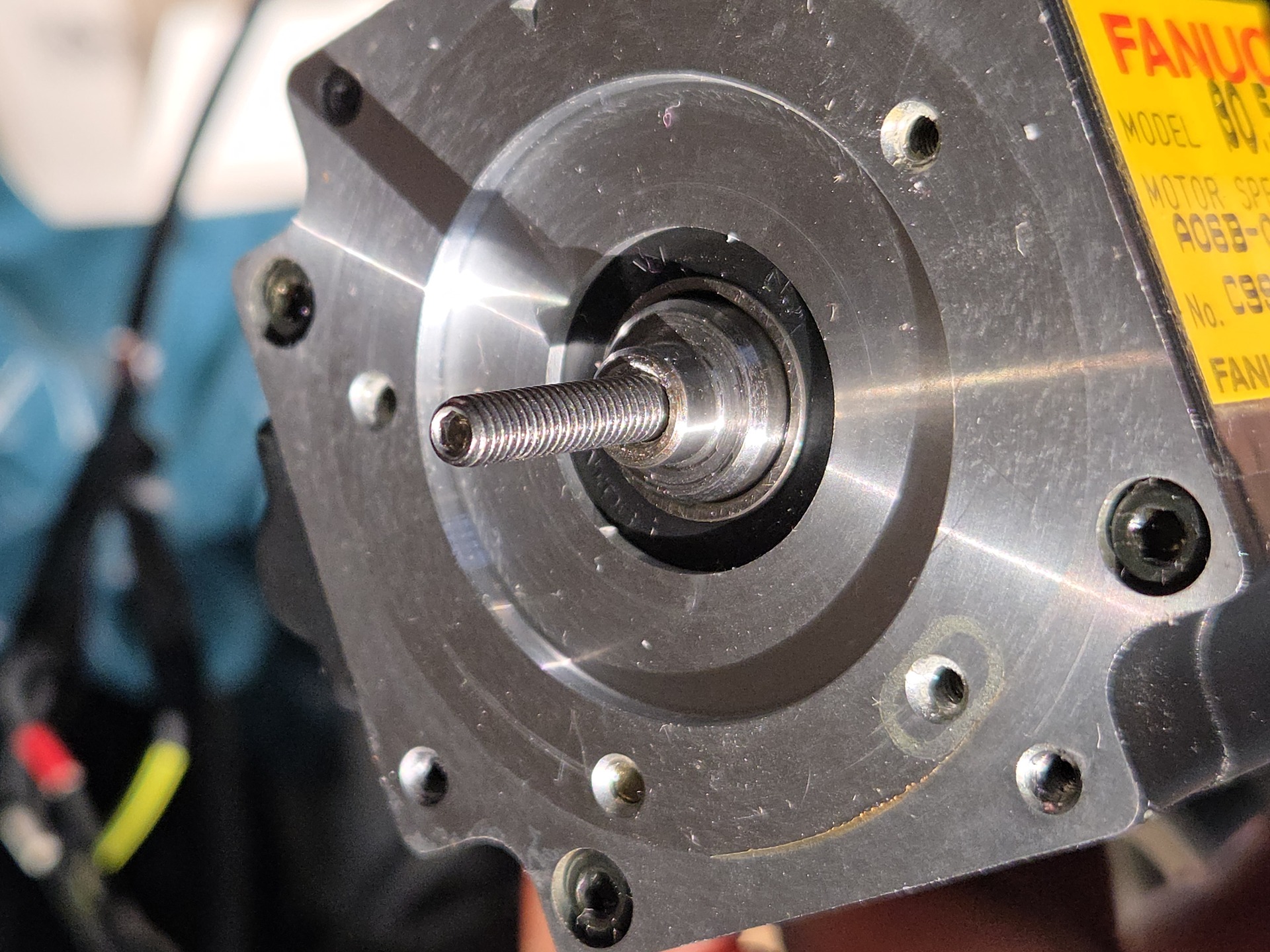
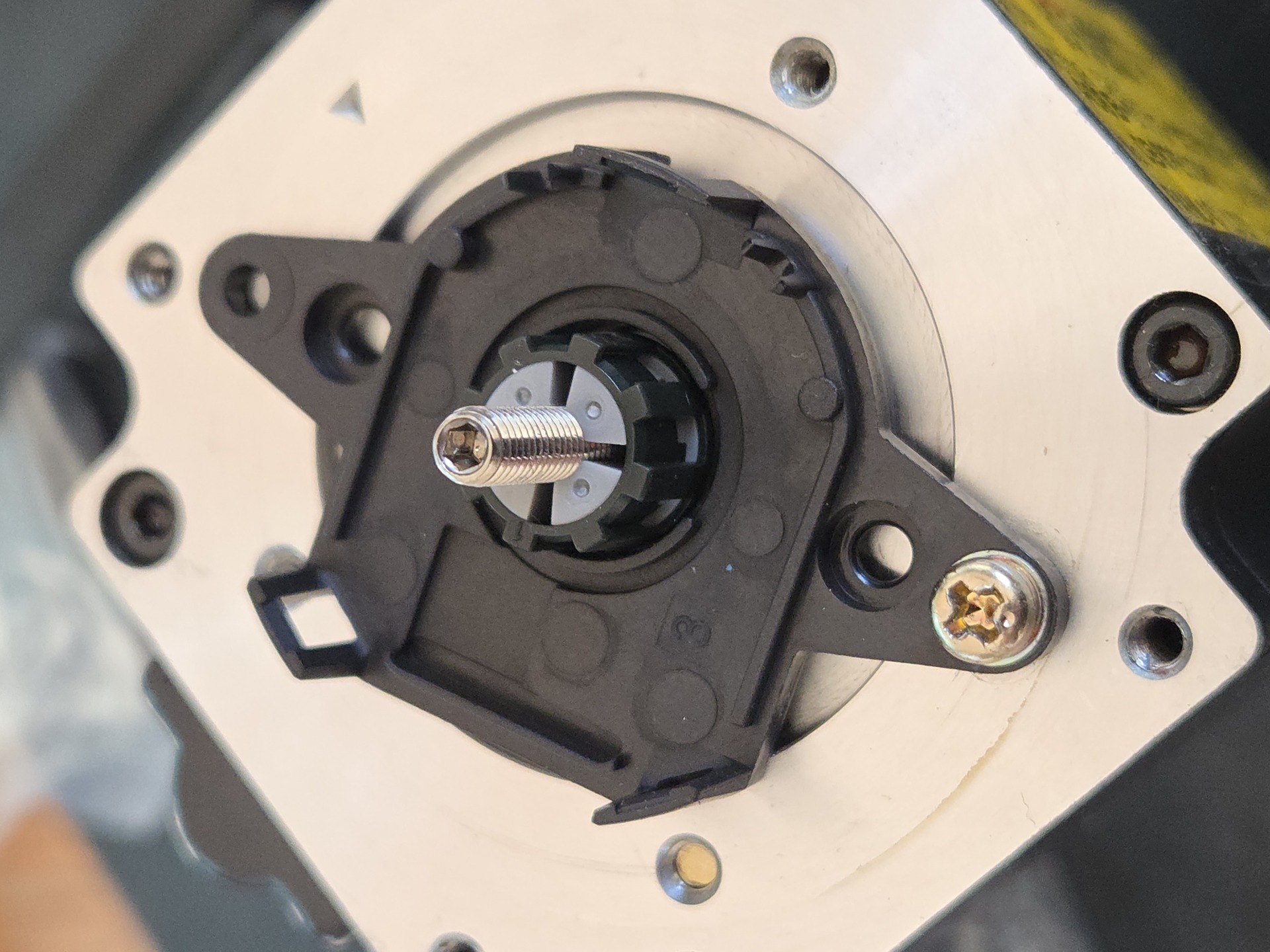
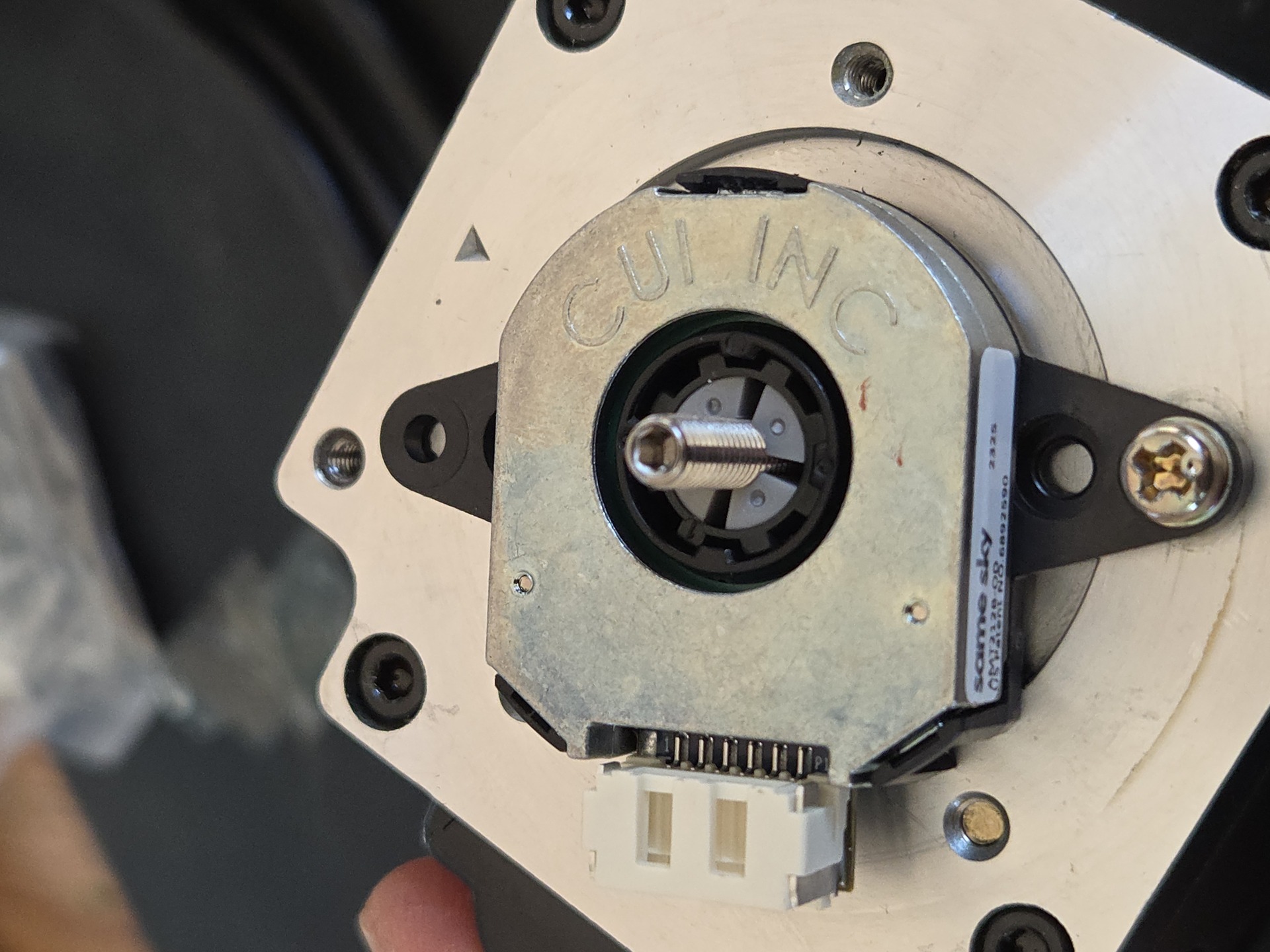
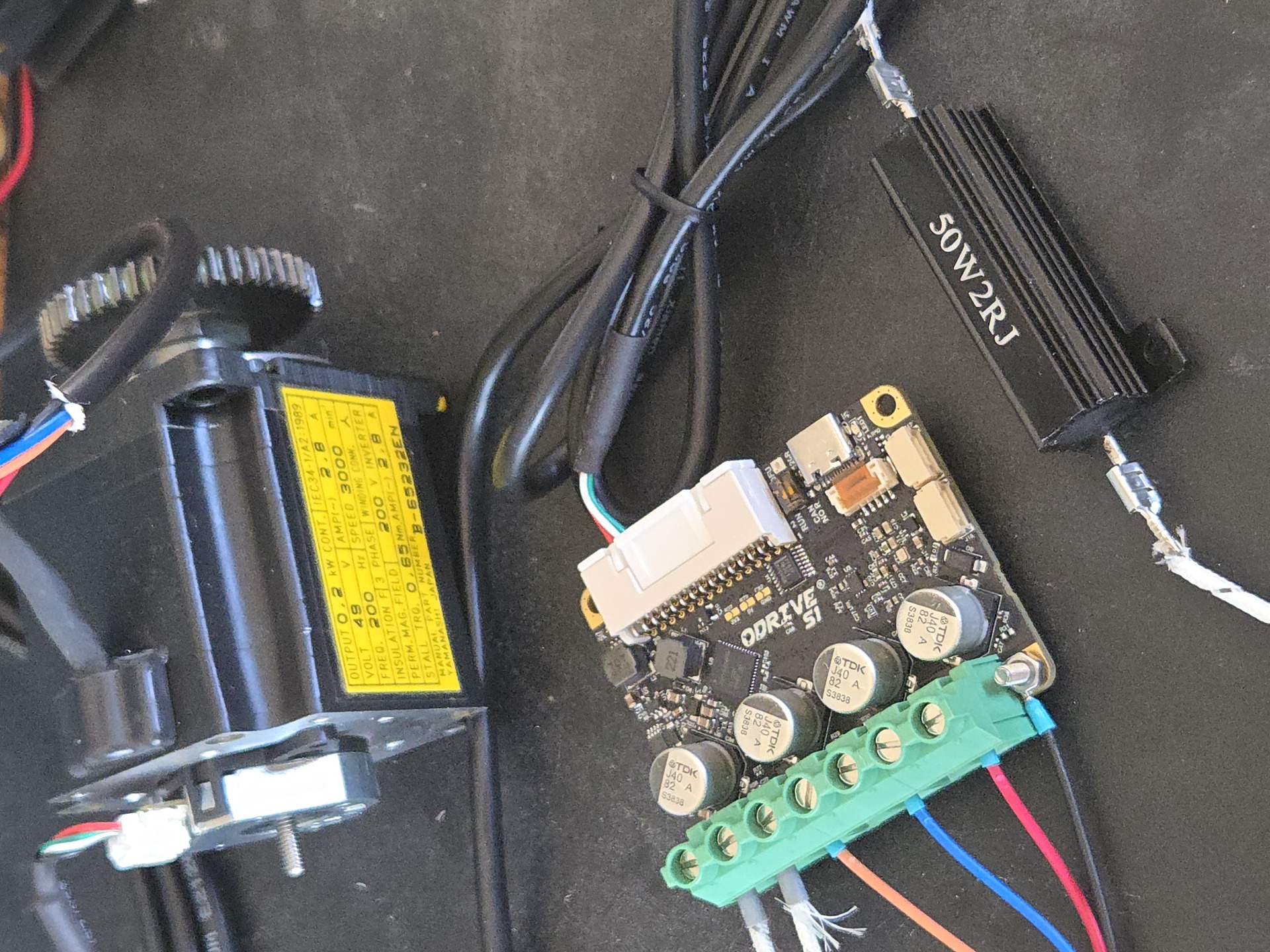
The first motor was wired up for bench testing; for the encoder I used the “compatible” AMT212B directly from ODrive, unfortunately it is more expensive than when purchased from other suppliers and adds a substantial amount of BOM cost. I may try the built in encoder or an external magnetic encoder like the AS5600, MA702 or 14 bit AS5048. I would need reassurance that there is enough precision though, as well as things like harmonic compensation that ODrive has.
Using an encoder with the ODrive directly also closes the loop and avoids time sensitive high speed calculations being done by whatever computer I place in the loop which, for a dummy like myself, is a major pitfall I am trying to avoid.
Assembly of all the parts is greatly simplified by having the right tools. Over the years, I’ve acquired a lot of crimping “sets” as well as some tools of varying quality, but that did not prevent the absolute headache that is JST crimp connectors. This is a useful explanation of JST connectors from IOT Expert.
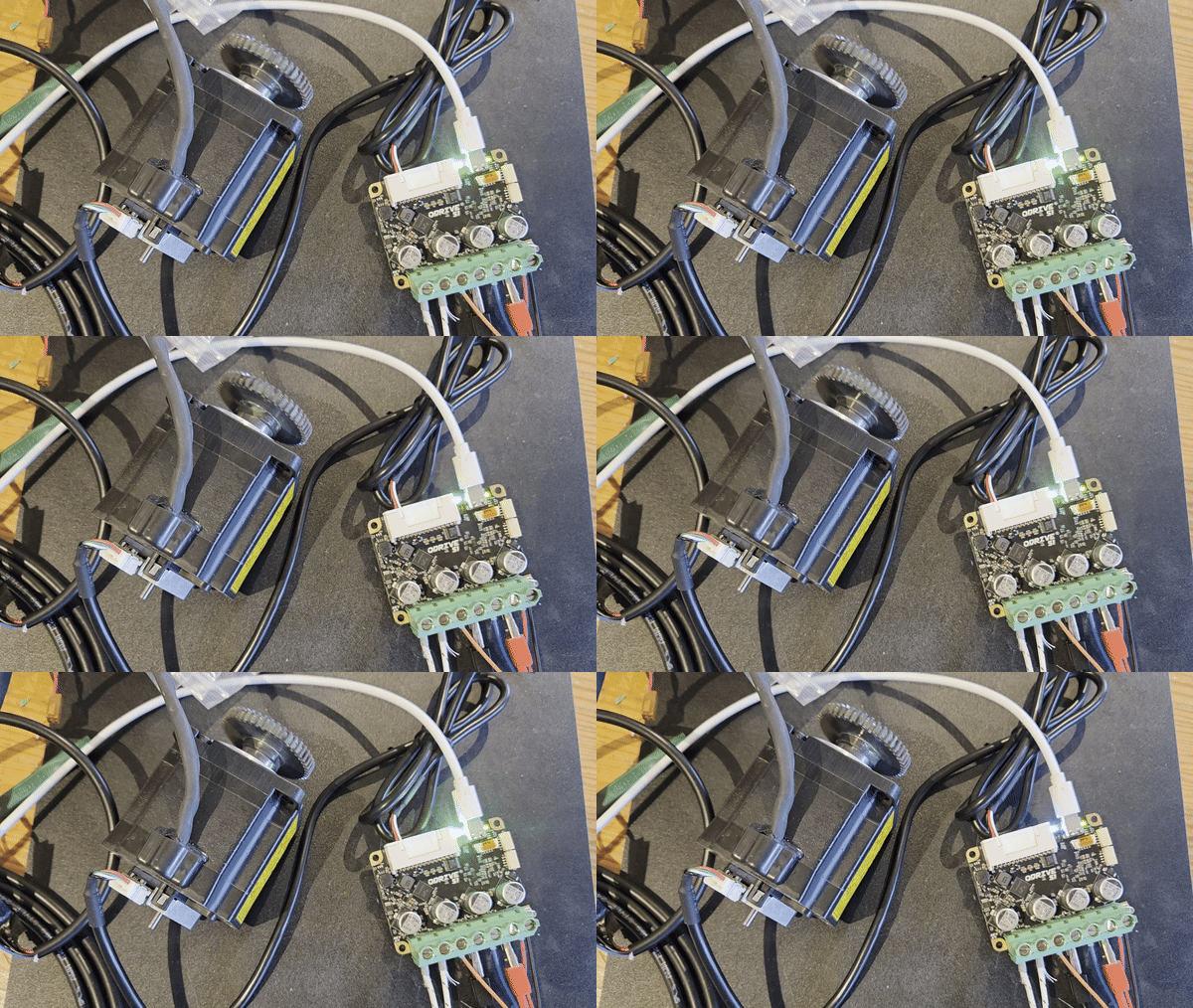
Once all assembled and wired for a single ODrive using a USB isolator and following the Getting Started guide, the motor spins!
Software control
For software control there are multiple avenues. The one I am most familiar with, before doing any research, is ROS2, and I wanted good 3D visualizations in something like Foxglove. LinuxCNC is also an option for executing G-Code In the current configuration, commands are sent over CAN to the motors.
Foxglove is an excellent method for visualizing from ROS, although they moved away from being opensource/free. ROS also has some tutorials for 6 axis robotcs:
- 6 Axis robot in ROS
- ROS in Foxglove Studio
- Moveit, a comprehensive platform for this kind of robotics
- There also exists a ROS2 controller for ODrive
- And a Python robotics controller
Before starting I had also learned that Reprapfirmware has inverse kinematics for 6 axis arms, although this seemed like a less well supported direction to head in:
There is also the excellent Robot Academy
And here is a list of other people with similar projects that may be of interest:
Getting to the interesting bits
Robotics hardware is a “solved” problem insofar as robotics have been able to hit <0.1mm accuracy repeatibly for quite some time, on the condition you have the budget. Current challenges lay in the software side, and this is recognized as what is driving future robotics use. Consortiums such as the ARM institute have some interesting projects. Robots, like nearly all CNC machines, have also always been “blind” to their environment. I consider this a major exploration direction for this project.
Long term, for control I can run the CANbus either from the main computer or an MCU. I believe a structure of CAN <-> MCU <-> Linux may make more sense in order to better enforce safety and timings, but that’s TBD. Short term the CAN ODrives will run directly from the main PC.
Short list of relevant topics:
- SocketCAN for python control
- ROS 2 + ros2_canopen/ros2_control
- ROS-Industrial is new to me but seems to have active industrial backing
- MoveIt 2 as mentioned before as a motion planner can be used with ROS
Technologies that are relevant for manufacturing. Many more in the MultiRobot MultiMachine Interoperability PDF:
- MTConnect, it can interface with ROS-Industrial
- OPC Unified Architecture: open62541, opcua_ros2_bridge, ros2-opcua
- Modbus TCP/RTU for simpler and older or more versatile CNCs
- Exposing ROS over network with rosbridge_suite or MQTT bridging
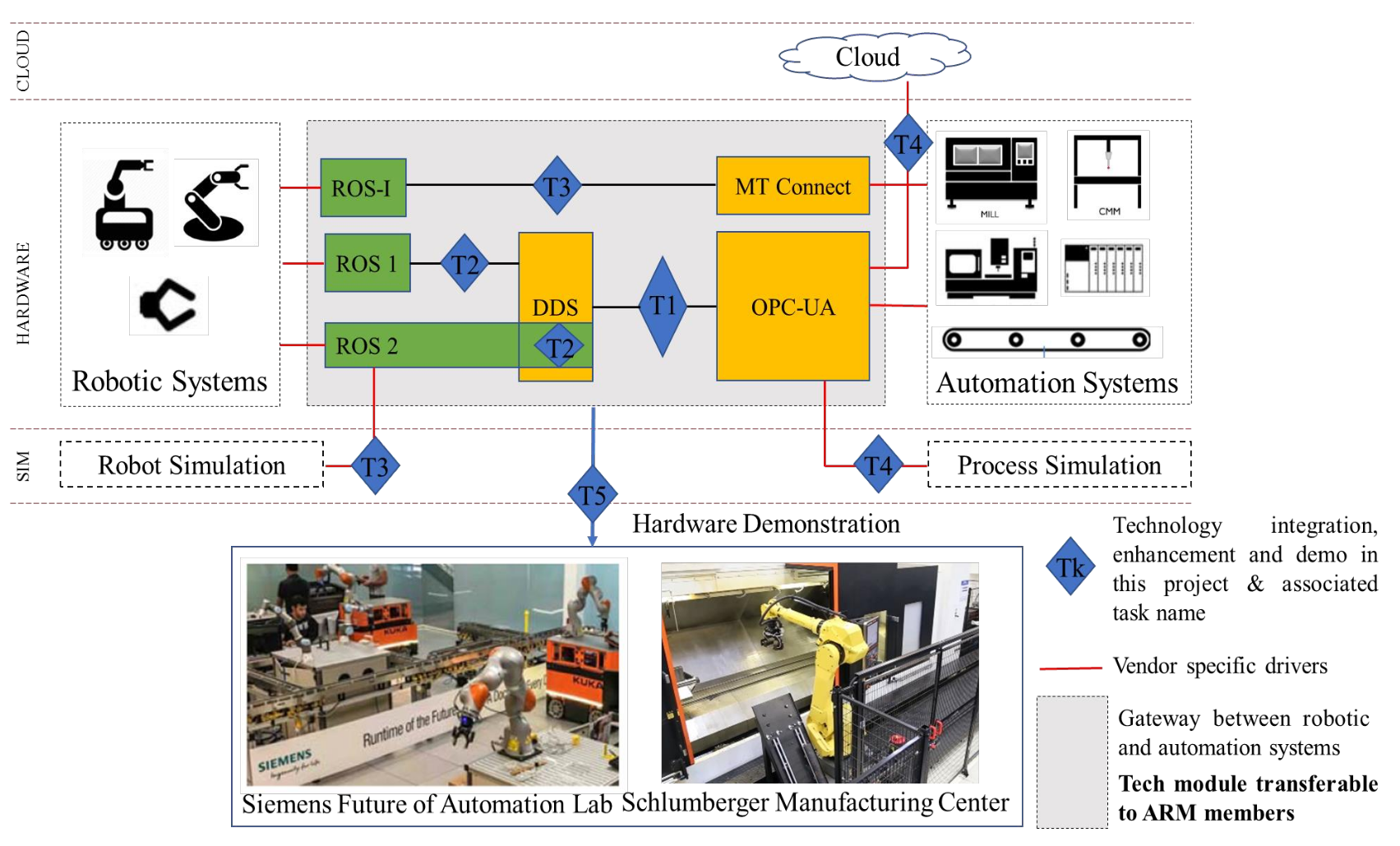
Machine tending in ROS seems to lack a lot of public sources.
- https://github.com/mehmet-engineer/ROS_Machine_Tending
Option 1: Lean & direct (good for bring-up)
- SocketCAN + can-utils + python-can
- Your own kinematics/trajectory code (or very simple scripted moves)
- External integration via Modbus TCP or simple TCP/REST service
Option 2: ROS2 “standard modern robot”
- SocketCAN/CANopen driver → ros2_control hardware interface → controllers
- MoveIt 2 for planning + execution
- External: OPC UA (PLC), MTConnect (CNC status), rosbridge (web UI), MQTT (plant messaging)
Option 3: Industrial cell integration focus
- Same ROS2 control core as option 2
- Add ROS-Industrial-aligned tooling & conventions
- Cell orchestration via MTConnect and/or OPC UA + hardwired safety
Moving the arm
Once I had tested the ODrive S1 with the on axis encoder, as well as the built-in magnetic encoder of the two drivers I bought, I placed them into the arm for some tests, as I do not have the budget at the time of writing to purchase all the controllers required for all the axis.
